Spacing between rows not working

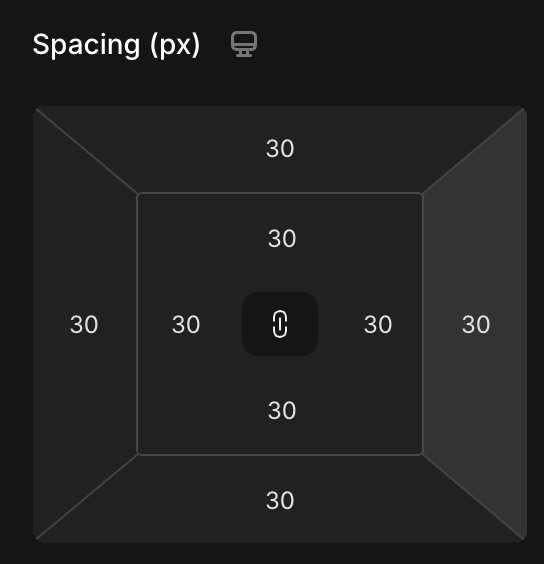
Hi, I have observed that margins do not seem to work between two rows. I have set outer margings which create a space or distance to the section. However, there is no space created between the rows themselves. Both rows have the following setting. I think both boxes should be a lot more further apart and have the same distance to each other than they have to the section limit.
Log in to comment and vote
Comments1
Lucas Nguyen
Apr 12, 2025
Hi @philipp.businesscontact
Thank you for your feedback. There are two main reasons for the result you're seeing:
The current row settings use a fixed width (e.g., 1200px). Because of this, when a margin is added, it doesn’t reduce the content area within the row—instead, it shifts the entire row while maintaining its fixed size. This is why, as you observed, the first row doesn’t appear to reflect a left margin of 30px.
When you apply a margin to a row, it shifts the row's position relative to its original coordinates (x=0, y=0). So, applying a 30px margin moves the row to x=30, y=30. As a result, both rows shift 30px to the left (from their original reference), making them appear consistently close to each other.
If you set the margin of the second row to
0, 0, 0, 0, you'll see its position relative to the second column of the parent row.We noticed the things above will cause the confusion and are working on it to improve it.
In the mean time:
To archive the spacing around both rows, please set padding for the parent row
To increase the gap between 2 child rows, please increase the column gap of parent row